

“My interview is at 2pm and my mind is blank.” Open the application’s Prepare tab. A saved briefing gives you a focus, an opening, stories to bring and questions to ask.
If you have only a few minutes, go straight to Read the short briefing. Set up a schedule beforehand when you want the next briefing ready without opening the app.
Add the interview details#
Open the application’s workspace. In Next step, choose Edit to schedule or edit the interview. Record the date, time, timezone, duration, who you will meet and what they asked you to prepare. See Scheduling interviews.
Check What you sent too. Preparation uses recorded sent resume and letter versions when available. Without a sent version, it can use the linked current document. A linked resume is not required to start preparation.
Make a plan before the day#
- Open Prepare and choose Plan my preparation.
- Read the timed plan. Open a suggested story, draft a missing one, or rehearse a question.
- Tick completed steps. Your progress stays with the application.
- Review Questions to ask. Fit questions you saved for this job appear here too.
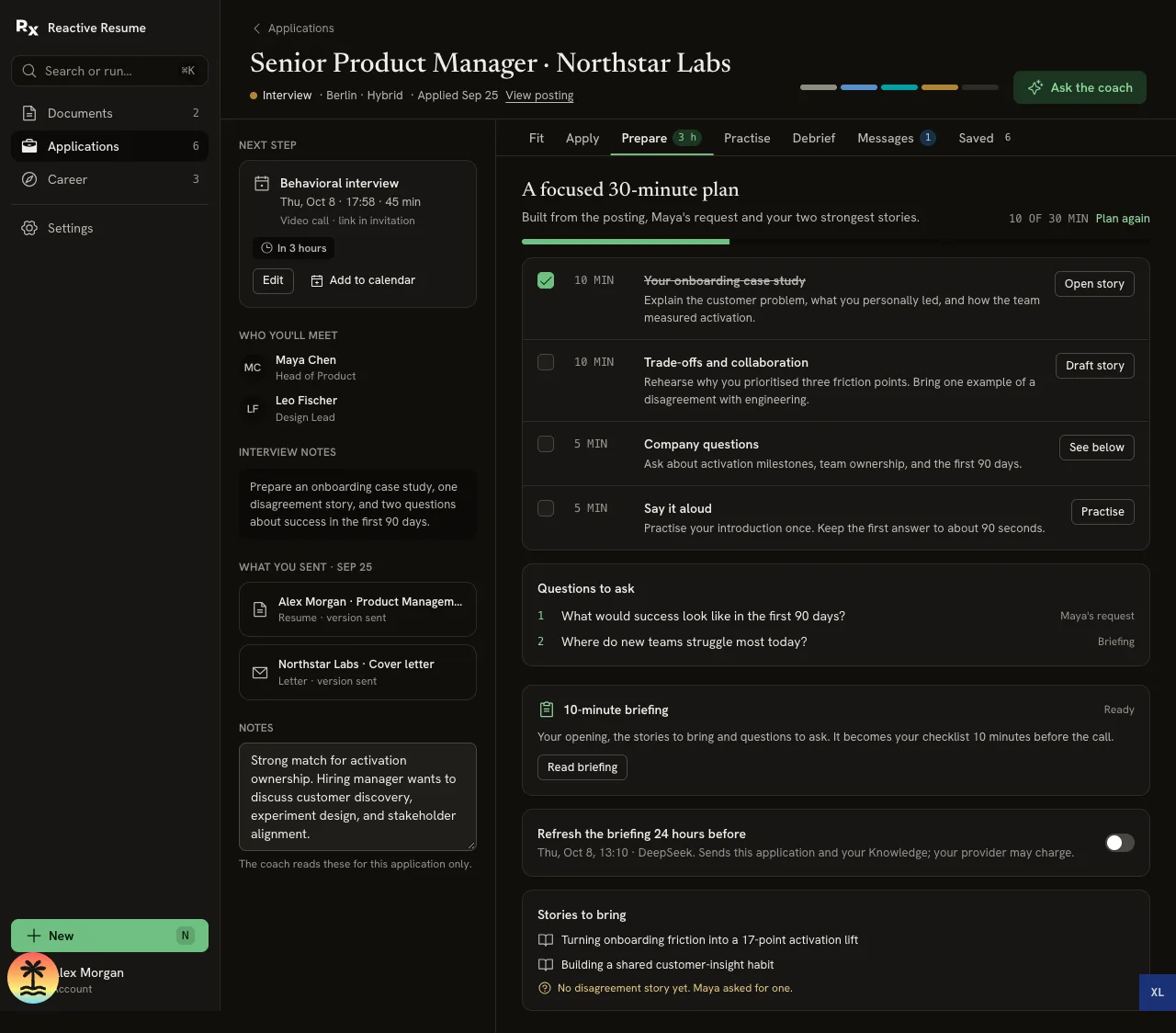
Use Plan again when you need a fresh plan. Earlier generated briefings remain available in Saved.
Have the briefing ready in the morning#
- Check your timezone in Settings → Preferences.
- Open Career → Today → Schedules → Add.
- Choose Prepare, then the correct interview.
- Choose Morning of, check the AI connection, and leave Turn this schedule on enabled.
- Select Save schedule.
For a 14:00 interview, Morning of schedules the briefing at 08:00 in your account timezone. For an interview before 10:00, it schedules two hours before the start instead. If the scheduled time has passed when you save, the work becomes due now.
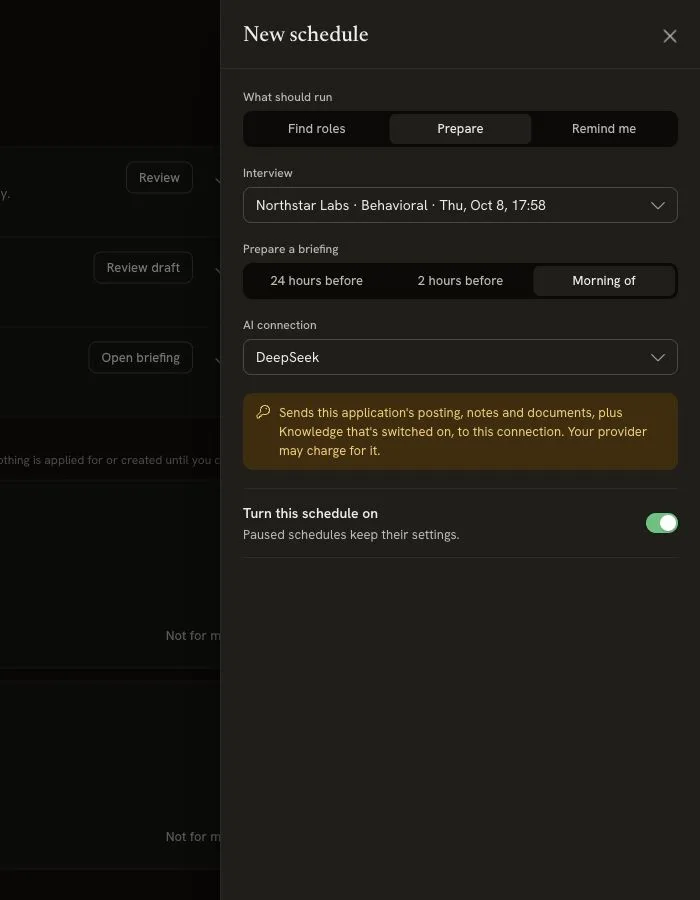
You can choose 24 hours before or 2 hours before instead. The Refresh the briefing 24 hours before switch in Prepare is a shortcut for a 24-hour schedule, not an 08:00 schedule.
The browser can be closed. Delivery depends on the installation’s scheduler and a working provider; a due time is not a guarantee of an exact arrival minute. When ready, the notification appears in Today. If it fails, check the notice and schedule troubleshooting.
Read the short briefing#
From Today, select Open briefing, or use Prepare → Read briefing.
Read four things:
- Your focus: What to make clear in this round.
- Your opening: A starting point you can put into your own words.
- Two stories: Real examples to have ready.
- Keep it honest: What is not supported yet and how to handle it.
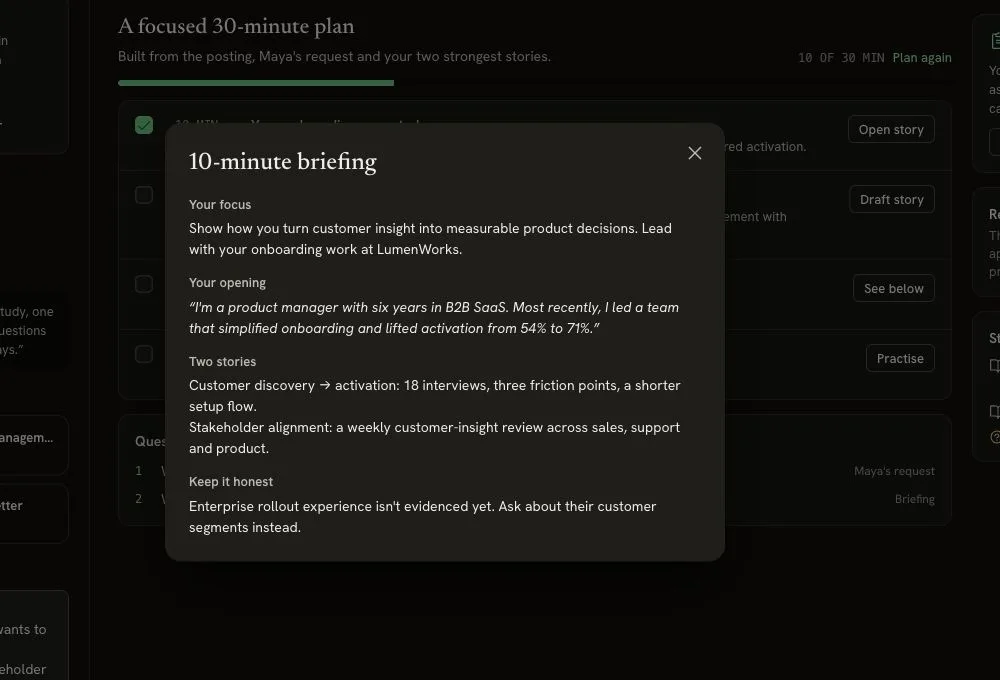
Near the interview start, Prepare switches to a short checklist. Saved material can be read without another AI call. Keep your meeting link and the interviewer’s request within reach.
Practice one answer#
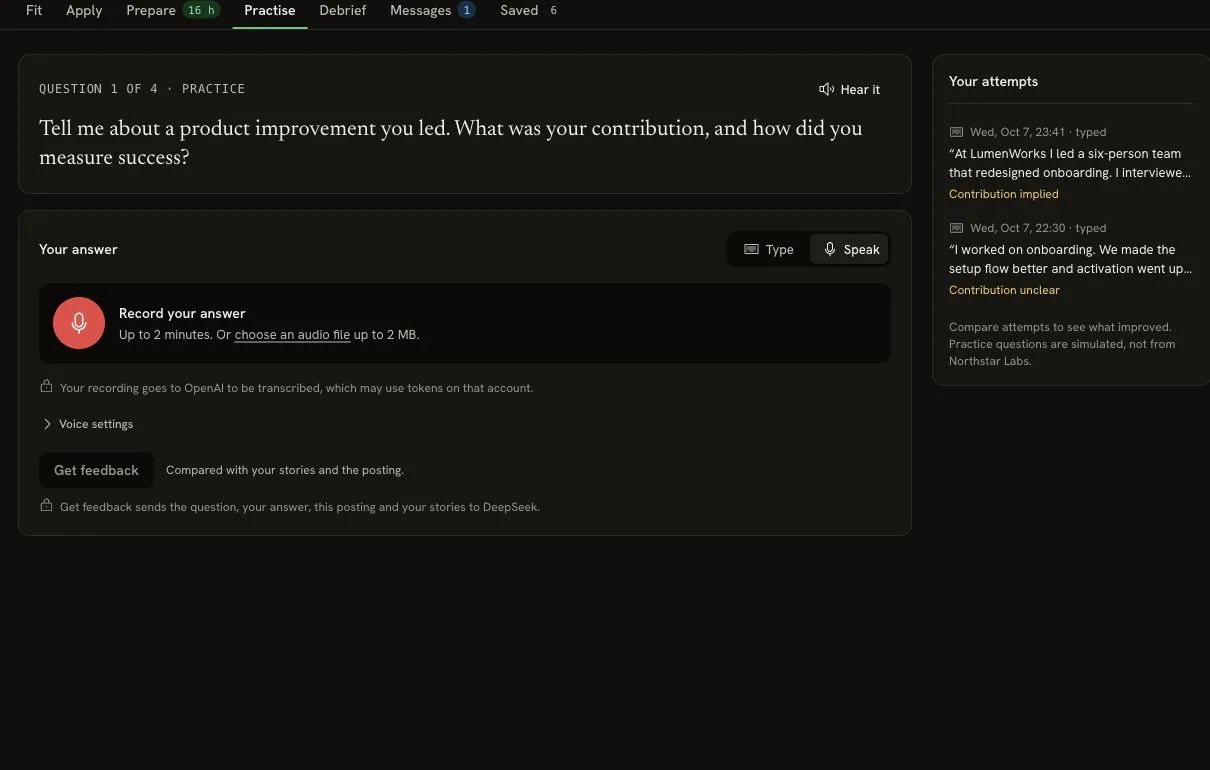
Open Practice from the plan or workspace tabs. Choose a question and select Hear it to have it read aloud.
Opening Practice from a Knowledge story keeps that story selected. Typed answers and corrected transcripts stay in this browser tab through navigation and refresh. Leaving the session stops recording and speech playback.
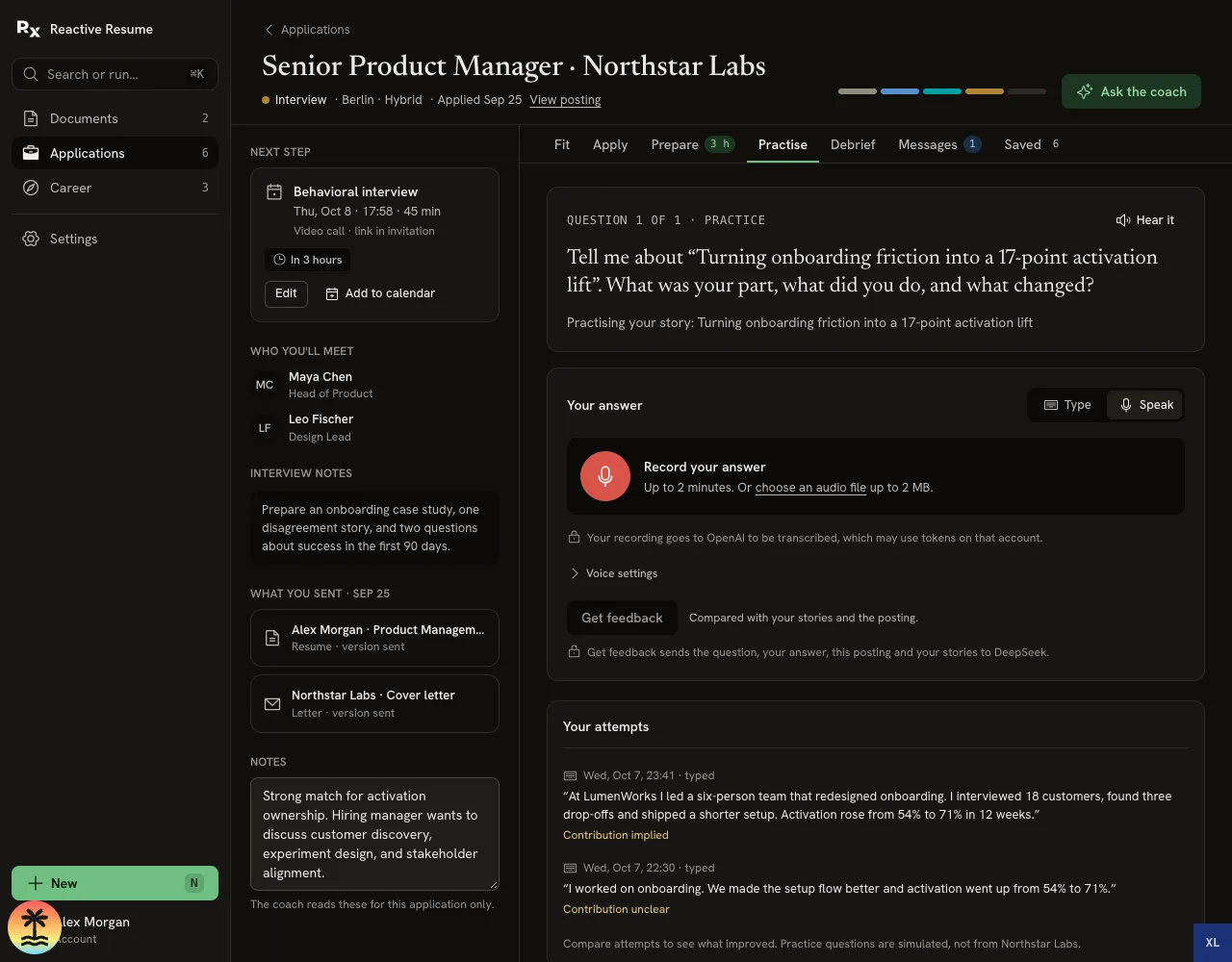
- Choose Speak, then Record your answer. Allow the microphone if you want to use it.
- Answer for up to two minutes, then stop.
- Read the transcript and correct anything the transcription got wrong.
- Select Get feedback.
Use Voice settings to choose who reads questions and who transcribes answers. Those can be different connections from the AI that reviews your answer. When no suitable speech connection is available, the app uses browser speech where supported. You can always choose Type instead.
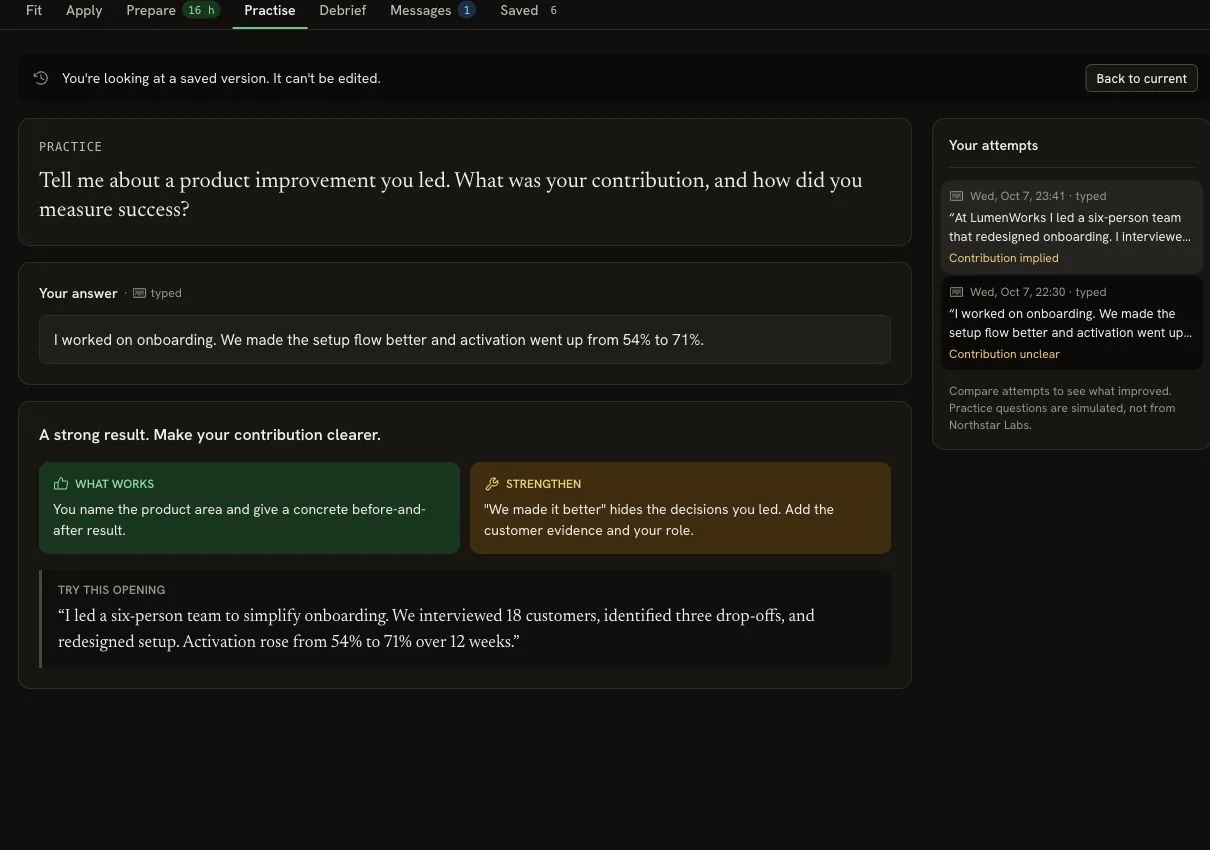
Feedback explains What works, one thing to Strengthen, and an opening to try. Open a previous attempt to compare your answers. Practice questions are simulations; they are not a claim about what this employer will ask.
See Voice limits and data for browser fallback, uploads and recording retention.
Debrief while it is fresh#
After the real interview, open Debrief:
- Write the question they asked.
- Record what you said as closely as you remember it.
- Choose Went well, Mixed or Didn’t land for how you felt it landed.
- Select Review my answer.
The review separates supported claims from observations and suggests a practice priority for the next round. Recalled questions can feed later practice. Your impression of the interview is not proof of why an employer made a decision.
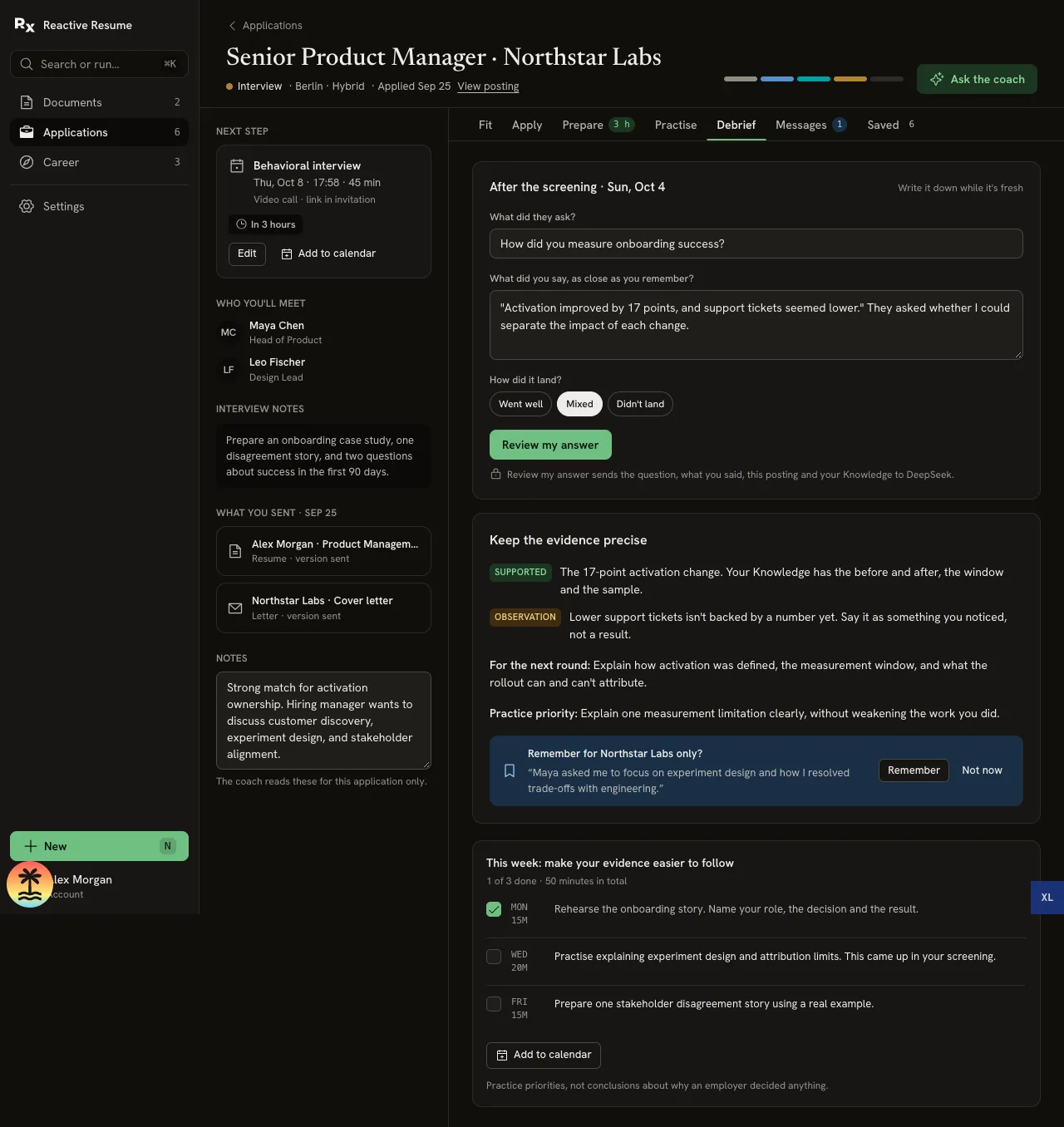
If the coach offers Remember for this company only?, check the wording before choosing Remember. Follow the light practice plan when useful, or reply to the recruiter when the next message arrives.