

You need a free account to save resumes, cover letters and job applications. Signing up takes under a minute, and you can start building right after.
Sign up with email and password#
Open the sign-up page
Go to rxresu.me and select Build your resume. On the sign-in page, select Create one now.
If you run your own copy of Reactive Resume, use its address instead of rxresu.me.
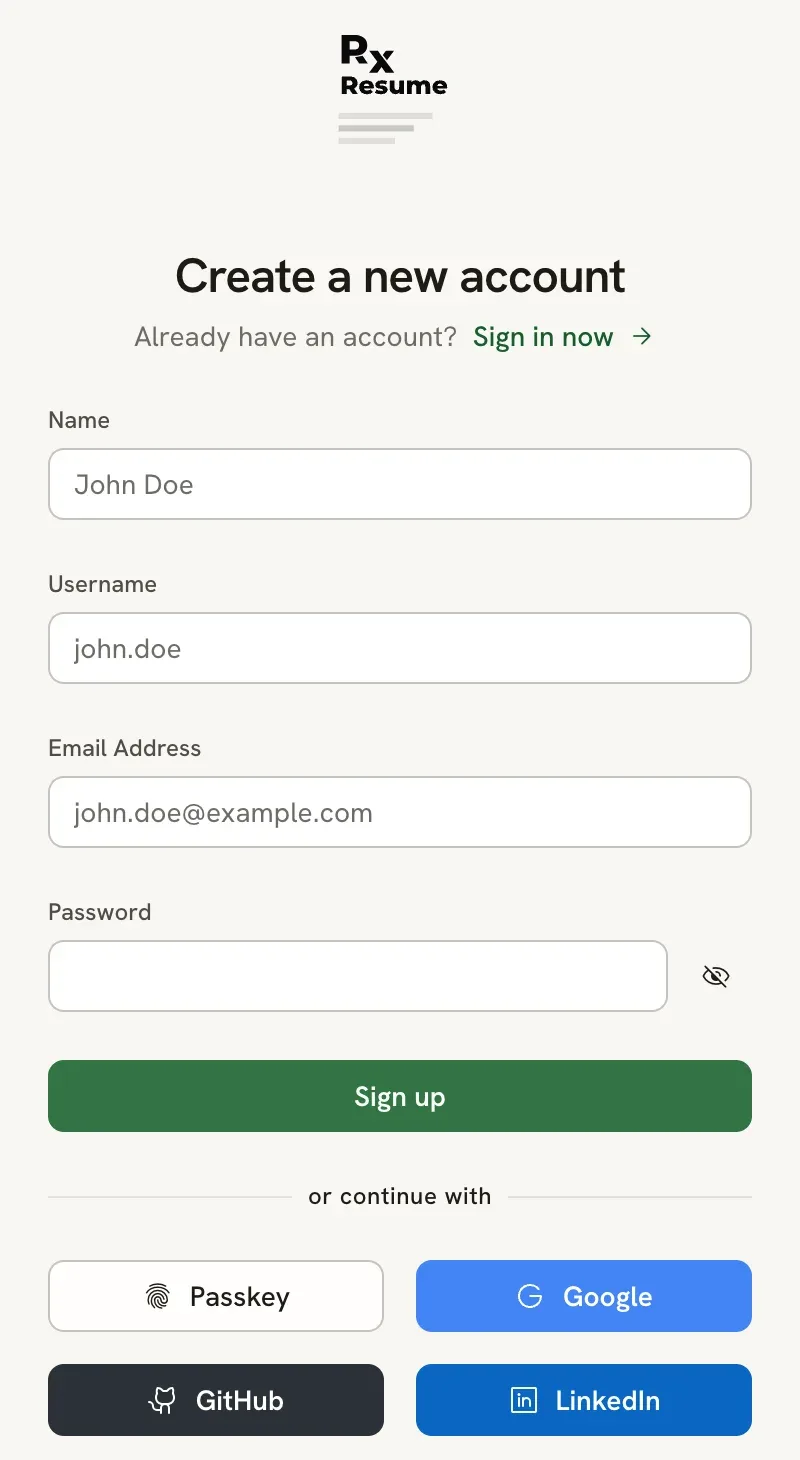
Fill in your details
- Name: your name as you want it shown in the app (3 to 64 characters). - Username: 3 to 64 characters, using
lowercase letters, numbers, dots, hyphens and underscores. It becomes part of every public resume link, for example
rxresu.me/alexmorgan/game-developer. - Email address: an address you can open. You need it to reset a forgotten password. - Password: at least 8 characters, up to 64.
Select Sign up
Continue to your documents
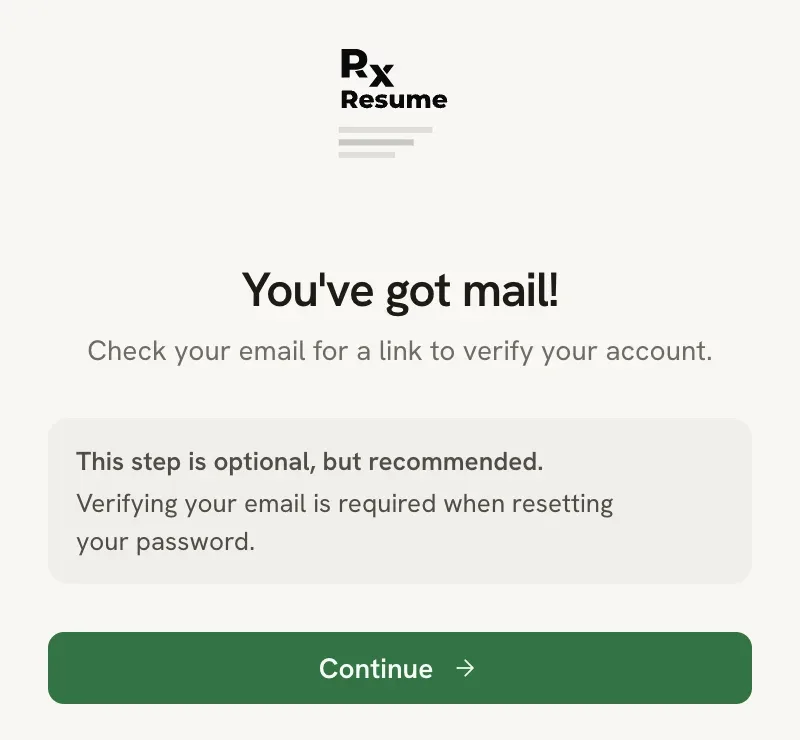
A Check your email screen confirms that a verification link is on its way. Verifying is optional, so you can select Continue and start working, then open the link from your inbox later.
You can change your name, username and email later in Settings → Account. Changing your username changes every public link you have shared, so pick one you are happy to keep.
Sign up with a social account#
Under or continue with, select Google, GitHub or LinkedIn and approve the request on that site. Reactive Resume creates your account from the name, email and photo the provider shares, and picks a username for you. You can change it afterwards in Settings → Account.
These buttons only appear when the site has set them up. On a self-hosted copy you may see none of them, or a single button for your organization’s sign-in service.
If sign-up doesn’t work#
The username or email is already taken
Usernames and email addresses are unique. Try another username. If the email is yours, you already have an account: go back to the sign-in page and use Forgot password? to get back in.
The verification email didn't arrive
Check your spam folder. You can ask for a new link from Settings → Account: under the Email field, select Not verified yet. Resend the link. On self-hosted copies without email delivery, the field says so instead, and no email is sent.
There is no Create one now link
The site’s owner has turned off new sign-ups. Only existing accounts can sign in.